What's New in Deckplanet 8.7: Sidebar, Collections & User Profiles
Version 8.7 is one of the bigger quality-of-life updates we've shipped in a while. Three major changes are landing together. A redesigned sidebar, a more powerful card collection system, and a new public user profile page. Here's a full rundown of what's changing and why.
---
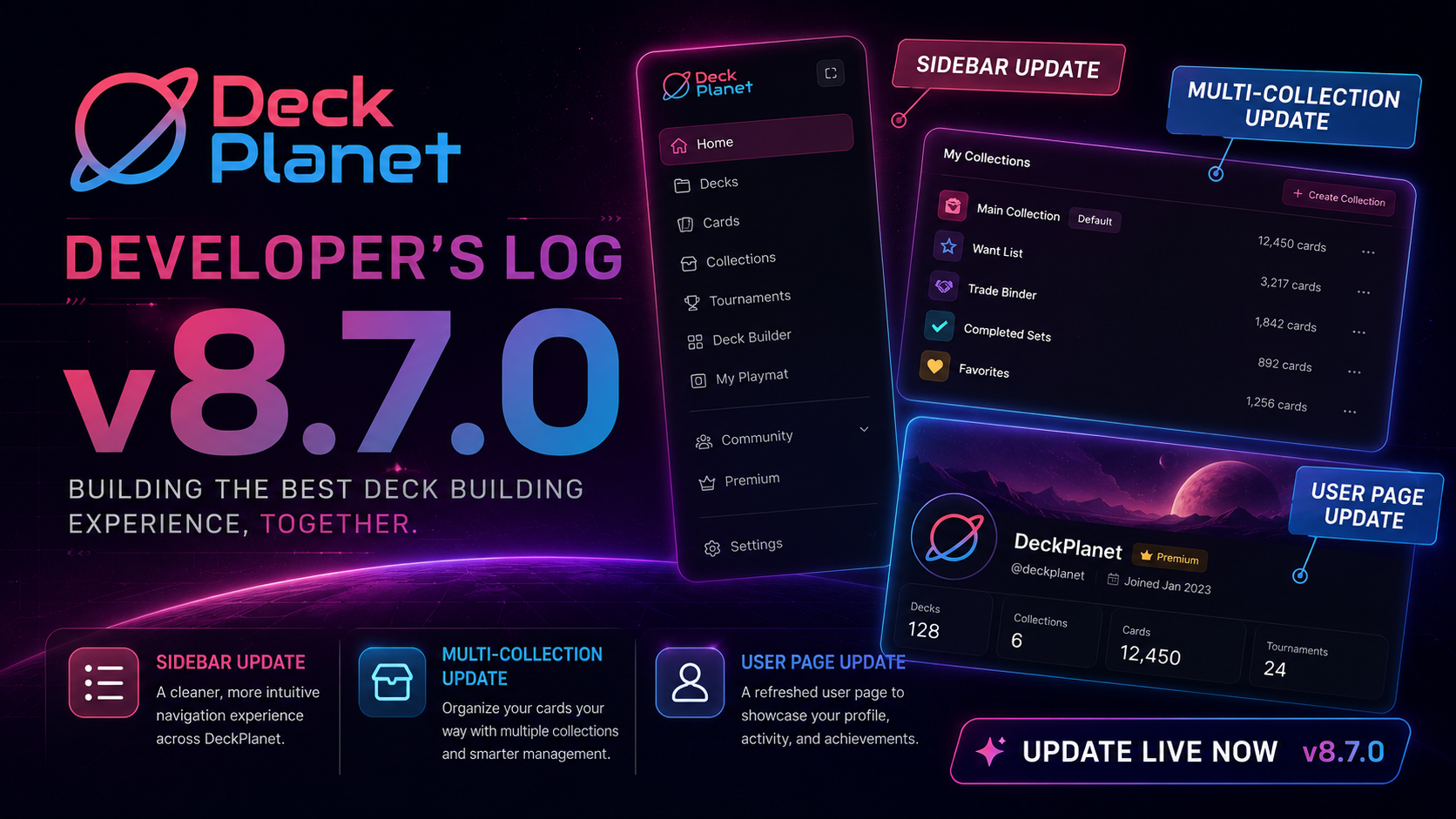
A New Sidebar
The sidebar has been completely redesigned. The old layout wasn't surfacing things well enough â a lot of users didn't know we had a roadmap, a contact page, or an about section. Features existed but weren't visible, and that needed to change.
The new sidebar is organized into three clear sections:
- Game selector - switch between your games at the top, ordered by how often you use them rather than alphabetically. A "Browse all TCGs" link brings you back to the main landing page.
- Game options - meta, My Decks, My Collection, and other game-specific pages all live here.
- Account section - at the bottom, you'll see your avatar (or initials if you haven't set one), along with light/dark mode toggle, color theme selector, language picker, version number, and quick access to My Account.
The version number display is intentional. We may do soft rollouts in the future where some users are on a newer version than others. If you run into an issue and contact us, we'll ask which version you're on, now you'll always know.
We also split "My Collection" into My Decks and My Card Collection in the sidebar, since both features exist and a lot of people didn't realize you could track your physical card collection on Deckplanet too.
No features were removed. Everything is still there, just shown in a cleaner way.
---
Card Collection Lists
The My Collection section got a significant upgrade. You now have four dedicated list types:
- Collection - the cards you own
- Want List - cards you're looking for
- Trade List - cards you're willing to trade (public by default)
- Custom Lists - create your own named lists (available to Patreon supporters)
Every list can be set to public or private. Your collection and want list start private; your trade list starts public. Custom lists start private, and you can toggle any of them with a single button. There's also a quick share link on each list so you can copy and send it directly to anyone.
---
User Profile Pages
The third major addition is a public profile page. When someone views your profile, or you share a link to your collection, they'll see:
- Your avatar and account name/handle
- Your favorite game (determined by which game you have the most decks in)
- Your main leader or deck within that game
- All your public lists collection, want list, trade list, and any custom lists you've made public
Only public information is shown. If your decks or lists are set to private, they won't appear on the profile, even if you have hundreds of them. You stay in control of what's visible.
---
Minor Fixes
Beyond the three headline features, 8.7 also includes a number of smaller bug fixes and tweaks. Nothing dramatic => cleanup from previous versions.
---
That's the full picture for 8.7. The sidebar change especially has been a long time coming, and the collection list system opens up a lot of possibilities for sharing and community around your cards. More updates to come.